
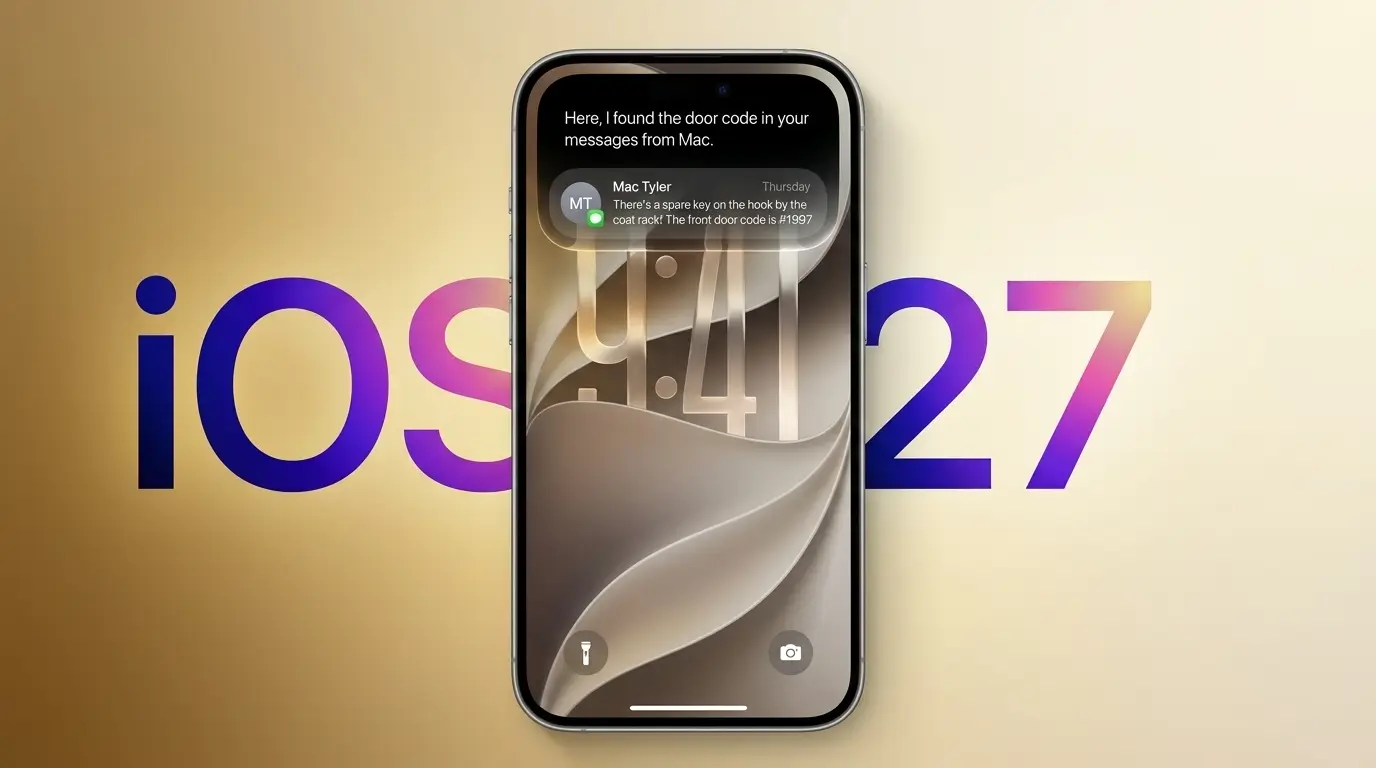
Apple has released iOS 27, and it’s one of the biggest software updates the iPhone has seen in years. The headline feature is a rebuilt Siri, but Apple also reworked the Photos app, sped up everyday performance, and added new tools to Safari and parental controls.
The update rolled out on Monday, September 14, and it’s a free download for supported iPhones. If you’ve been waiting for Apple to finally deliver on its AI promises, this is the release that’s supposed to prove it. Here’s what actually changed, what you need to run it, and whether it’s worth updating today.
The Release
Apple pushed iOS 27 to the public on September 14, 2026, alongside iPadOS 27, macOS 27, watchOS 27, tvOS 27, and visionOS 27. The update follows a long beta cycle that started at WWDC in June 2026.
The biggest story inside iOS 27 is Siri AI, Apple’s rebuilt assistant. It’s the update Apple promised back at WWDC 2024, then delayed in early 2025 after early builds weren’t ready. According to recent reports, the new Siri runs on Apple’s own foundation model, reportedly trained with help from Google’s Gemini technology.
Key Details
Siri AI Gets a Real Overhaul
Siri AI can now understand what’s on your screen, hold more natural back-and-forth conversations, and take actions across apps instead of just answering basic questions. You can even screenshot something and ask Siri about it directly.

Apple also gave Siri its own standalone app, so you can revisit past conversations across your Apple devices. Siri AI works in English at launch and is only partially available in Europe for now.
Siri AI also shows up inside Mail and Messages, where it can draft or revise messages in your own writing style, including your typical tone and punctuation.
Photos Gets AI-Powered Editing Tools
The Photos app picks up three major new tools:
- Spatial Reframing – lets you shift a photo’s camera angle after you’ve already taken the shot
- Extend – uses AI to generate new image content and widen a frame beyond what the camera originally captured
- Clean Up (upgraded) – now removes larger unwanted objects, with both Fast and High Quality modes

Apple’s Image Playground tool also got sharper, now generating more photorealistic images. Users can edit those AI images just by describing changes, like moving or resizing an object. Every AI-generated image carries a SynthID watermark so it’s clearly marked as synthetic.
Read Also: OpenAI Launches GPT-6 Astra, Says We’re Now in the “AGI Era”
Everyday Performance Improvements
iOS 27 isn’t just about AI. Apple says the update brings real speed gains:
| Feature | Improvement |
| App launch speed | Up to 30% faster |
| Photos library loading | Up to 70% faster |
| AirDrop transfers | Up to 80% faster |
| Wi-Fi to cellular switching | Smoother transitions |
Safari and Parental Controls
Safari now automatically groups your open tabs by topic and can watch a webpage for you, alerting you to restocks or price drops. New parental controls let parents choose which built-in apps are available the moment they hand a kid a new iPhone.

The Stakes
Apple has been under pressure since the original Siri overhaul was announced back in 2024 and then quietly delayed. iOS 27 is Apple’s biggest attempt yet to catch up in the AI race against Google and OpenAI, and Siri AI is the clearest proof point so far.
For everyday users, the bigger win might actually be the Photos updates. Tools like Extend and Spatial Reframing put AI-powered editing that used to require third-party apps directly into the stock Photos app, for free.
Compatibility and Availability
iOS 27 installs on the same devices as iOS 26:
- Supported devices: iPhone 11 and later, plus the iPhone SE (2nd generation) and later
- Siri AI and Apple Intelligence features: Require an iPhone 15 Pro, iPhone 15 Pro Max, iPhone 16, or later
If you’re on an iPhone 15 or older non-Pro model, you can still install iOS 27. You’ll get the performance boosts and Liquid Glass design refinements, but not Siri AI or the new Apple Intelligence features.
How to Update
- Open Settings
- Tap General
- Select Software Update
- Tap Update Now or Download and Install
- Enter your passcode and let your iPhone restart
Apple recommends backing up your iPhone and connecting to stable Wi-Fi before starting.
Market Ripple Effects
iOS 27 lands right as Apple pushes the iPhone 18 Pro and iPhone 18 Pro Max, and it puts real pressure on Google and Samsung to match Apple’s on-device AI experience. It’s also Apple’s most direct answer yet to critics who said the company was falling behind in the AI race.
The Bottom Line
iOS 27 is a bigger update than iOS has seen in a while, but the real value depends heavily on your hardware. If you have an iPhone 15 Pro or newer, Siri AI alone makes this worth installing. If you’re on older hardware, you’re mostly getting speed improvements and design polish, which is still a solid free upgrade.